
The HPI Knowledge Center
Practical, professional guides on cybersecurity careers, Salesforce, technology certifications and organizational training. The content is designed to help you understand each field, compare tracks and make a more informed decision.
Follow HPI on Google too
Add HPI to your preferred sources to help Google show you more of our content.
Professional guides on careers, roles and certifications in cybersecurity.
Salesforce implementer and admin, automations, Flow and role differences.
Guides to starting a tech career in Israel: career-change over 30, no-degree paths, choosing between cyber and Salesforce, roles, salaries and interview prep — HPI Knowledge Center.
Professional articles

Cybersecurity Course for Beginners: What to Check Before Enrolling
A good cybersecurity course for beginners starts with foundations of networking, operating systems, and Linux, includes hands-on lab practice, prepares for recognized international certifications, and offers genuine career guidance without promising jobs or exam passes.

How to Enter Cybersecurity Without Prior Experience
It's possible to enter cybersecurity even without prior experience: learn computer and network fundamentals, master Windows and Linux, understand information security principles, practice in labs and with tools like SIEM, and build a project portfolio and LinkedIn before seeking an entry-level role.
What Does a SOC Analyst Do in a Real Workday?
A SOC analyst monitors alerts from a SIEM system, performs initial Triage, investigates users and workstations, identifies False Positives, documents every incident, escalates to advanced teams as needed, and acts according to defined Playbooks. The role requires an understanding of networks, operating systems, and incident response processes.
What Does a Salesforce Implementer Do and How Do You Get Started?
A Salesforce implementer connects business needs with system capabilities: defining processes, configuring Objects and fields, building permissions and automations with Flow, creating reports and dashboards, and deploying the solution to users. No prior programming knowledge is required to start.
Salesforce Admin vs. Salesforce Implementer: What's the Difference?
An Admin is primarily responsible for the day-to-day operation of an existing Salesforce system: users, permissions, troubleshooting, and minor changes. An Implementer leads the setup and definition of new solutions. There's significant overlap in practice, and in smaller organizations, the same person often performs both roles.

Do You Need to Know Programming to Work in Salesforce?
For entry-level Admin and Implementer roles, programming is almost never required. Salesforce includes many No-Code and Low-Code tools—like Flow—that suffice for most tasks. Code in Apex is only required for Salesforce Developer work.

What is Cyber? A Complete Guide for Beginners
Cybersecurity is the professional discipline that deals with protecting computer systems, networks, data, and users from exploitation, disruption, or unauthorized access. At its core is risk management based on assets, threats, vulnerabilities, and controls, and at its center are the three CIA principles: Confidentiality, Integrity, and Availability.

Will AI Replace Cyber Professionals? How the Profession Will Look in the Coming Years
AI is not expected to replace cybersecurity professionals, but it is already changing the nature of their work. It accelerates tasks such as log summarization, initial triage, querying, and documentation — but tasks that require context, responsibility, and judgment remain human-led. Cyber professionals who learn to work with AI safely will have an advantage.

What professions exist in Cyber? Roles, Specializations, and Career Paths
The cyber world includes clear job families: SOC/Cyber Defense, Security Engineering, DFIR, Penetration Testing, Cloud Security, AppSec, GRC, and Threat Intelligence. The most common entry point is through SOC, from which one can develop into various directions based on personal aptitude and professional experience.

How Much Does a Cyber Security Course Cost in Israel? Prices, Tracks, and What You Really Get
The price of a cyber security course in Israel varies between colleges, training bodies, and private programs, and depends on factors such as the number of hours, live versus recorded lessons, labs, career support, and what is included in certifications. Instead of just comparing a number, it's worth comparing value: what exactly do you get, what's not included, and what's the cost of completion until entering the job market.

How Long Does It Take to Learn Cyber and Land Your First Job?
For a beginner without a technological background, a realistic planning range is typically around 6 to 12 months from the start of studies until being well-prepared for a first job, and sometimes longer depending on the learning pace and job search duration. Those with a background in IT, networks, or technical support may progress faster. It is important to differentiate between study time, the time required for practical practice, and the time it takes to get hired — these are three distinct stages, and no path guarantees a job by a fixed date.

Online vs. In-Person Cyber Course: Advantages, Disadvantages, and Who Each Path Suits
There's no one-size-fits-all format. A live online cyber course can be an excellent choice for those who can learn independently, have a quiet work environment, and want to save on travel. An in-person course is more suitable for those who need a physical framework, direct contact with the class, and fewer distractions at home. The quality of the program, the instructor, the labs, the feedback, and perseverance are more important than the choice between a screen and a classroom.

Cyber Entry Program in 5 Months: What to Study at Each Stage
It is possible to build a significant cybersecurity career foundation in five months, but only if structured learning is combined with weekly practice. The first month focuses on network and operating system fundamentals; the second and third months cover security, logs, and SOC; the fourth month delves into scenarios and tools; and the fifth month is dedicated to building a project, resume, and interview preparation.

Want to work in cyber? 5 mistakes that could delay your entry into the field
The five most common mistakes are skipping networks and operating systems, chasing certifications without practice, focusing solely on attack tools, waiting until feeling completely ready before applying, and expecting the course alone to secure a job. The correct path is to build a foundation, practice, document projects, and start engaging with the market early.
What Do You Learn in a Cyber Course? Topics, Tools, Labs, and Certifications
A comprehensive cyber course for beginners should cover networks, Windows, Linux, security fundamentals, cloud, Firewall, monitoring and SOC, log analysis, incident response, basic Python, and practice in authorized environments. A good course isn't just presentations: it includes labs, projects, feedback, and preparation for entry-level jobs and relevant certifications.

Do you need to know programming to study and work in cybersecurity?
You don't need to know programming to start learning cybersecurity or to enter some entry-level positions, especially SOC, support, NOC, permissions management, and infrastructure security. However, familiarity with Python, Bash, or PowerShell improves the ability to automate, understand tools, analyze data, and advance to more technical roles.
SOC Analyst Interview Questions – With Sample Answers
A beginner SOC interview typically assesses network and system fundamentals, ability to read logs, understanding of phishing and malware, the process of investigating an alert, and the ability to explain decisions. A good answer is not just a definition: it demonstrates a clear investigation process, data collection methods, careful actions, and when to escalate.

How to Build a Home Cyber Lab for Beginners? A Step-by-Step Guide
To build a home cyber lab, you need a computer with adequate memory and storage, virtualization software, a Linux machine, and a Windows machine or a dedicated vulnerable system. You must set up an isolated internal network, create Snapshots, and only work on machines you own or platforms that have granted explicit permission.

SOC Analyst Salary in Israel: How Much Do Beginners and Experienced Earn in 2026?
In 2026, the common salary ranges in Israel for SOC/SIEM positions are approximately 11,000–13,000 ILS gross per month for employees with up to one year of experience, 14,000–16,000 ILS after one to two years, and 17,000–21,000 ILS for those with three to five years of experience. In practice, salary varies by shifts, previous IT experience, SIEM and EDR tools, English proficiency, security clearance, location, and organization type.

SOC Analyst vs. Penetration Tester: What's the Difference and Which Role Suits You?
A SOC Analyst protects the organization in real-time by monitoring, investigating logs, prioritizing alerts, and responding to incidents. A Penetration Tester systematically and permissibly tests systems to find vulnerabilities before an attacker can exploit them. SOC suits those who enjoy continuous investigation, operations, and teamwork; Pentest suits those who enjoy technical research, experimentation, report writing, and deep dives into vulnerabilities.
Can one get a job as a Penetration Tester after a Cyber course?
It is possible to get a Penetration Tester role after a course, but the course alone is usually not enough. A Junior candidate needs to demonstrate a foundation in networking, Linux, Windows, and Web, practical hands-on practice in authorized environments, the ability to write a report, and a portfolio that shows their thought process. Sometimes the faster path is through SOC, IT, support, or another technical security role.

Best Cybersecurity Certifications for Beginners: A Comparison Guide
For beginners, there is no one-size-fits-all certification. Linux Essentials is suitable for Linux fundamentals, Network+ for networking basics, CCST Cybersecurity for a friendly entry into defensive principles, Security+ for a broad and more recognized foundation, and eJPT for those seeking offensive practice. The choice should match the knowledge gap and target role.
eJPT Certification: A Full Guide to the Exam, Study Material, and Preparation
eJPT is an introductory, practical Penetration Testing certification from INE Security. It is suitable for those who already understand networks, Linux, services, and Web, and want to practice penetration testing methodology in a legal environment. Preparation should include labs, documentation, organized work, and time management — not just watching lessons.
Security+ vs. eJPT: Which Certification Is Right for You?
Security+ is a broader and more theoretical certification, suitable for security fundamentals, SOC, and general defense roles. eJPT is a more practical and focused certification on penetration testing. For those still building a foundation or aiming for SOC, Security+ is often more suitable; for those who already understand networks, Linux, and Web and are aiming for Pentest, eJPT may be a better fit.

CCST Cybersecurity vs. Security+: What's the Difference and Where to Start?
CCST Cybersecurity is a more accessible entry-level certification designed to build foundations. Security+ is broader and deeper, requiring a better understanding of networks, systems, architecture, and incident response. An absolute beginner might consider starting with CCST, practicing, and then progressing to Security+.
Is Network+ necessary for a career in cybersecurity?
The Network+ certification is not a formal requirement for most cybersecurity jobs, but the knowledge it covers is almost essential. A SOC analyst, cloud security professional, or Penetration Tester needs to understand IP addresses, TCP and UDP, DNS, DHCP, routing, switching, VPN, Firewall, and troubleshooting. This knowledge can also be learned without taking an exam.
Linux Essentials for Cyber Professionals: What You Learn and Is the Certification Worthwhile?
Linux Essentials is a foundational LPI certification covering the Linux system, command line, files, users, permissions, processes, software, and basic networking. It is suitable for beginners who want a structured framework. The certification is not mandatory, but the knowledge is very important for SOC, Cloud, DevSecOps, and Penetration Testing.
What is Salesforce? A Complete Guide for Beginners
Salesforce is a cloud platform for customer relationship management and business processes. Organizations use it to manage leads, sales, customer service, automations, reports, permissions, and internal applications. You can work in it without programming in Admin and Implementation roles, or advance to development, architecture, and consulting.

What is CRM and how does a CRM system help organizations?
CRM is an acronym for Customer Relationship Management. A CRM system centralizes information about leads, customers, sales, service, and tasks, enabling an organization to manage processes in an organized manner, measure performance, and provide a consistent customer experience.
Will AI Replace Salesforce Professionals?
AI is expected to change the work of Salesforce professionals more than eliminate it. Repetitive tasks such as initial drafting, information summarization, draft creation, and basic testing will become more automated. In contrast, process definition, data governance, security, integrations, change management, and business decision-making will remain dependent on human professionals.

What professions exist in the Salesforce world? Roles and career paths
In the Salesforce world, there are business, operational, and technological paths. Common entry-level roles are Administrator, Implementer, and Business Analyst. Later, one can advance to Consultant, Developer, Product Owner, Solution Architect, or Technical Architect. The right path depends on strengths: process, people, data, code, or architecture.

Is Salesforce a Technological or Business Field, and Who Is It For?
Salesforce is a field that combines technology and business. Admin and implementer roles need to understand data, permissions, and automations, but also sales processes, service, and user needs. It is particularly suitable for people who enjoy solving problems, asking questions, working with systems, and translating business needs into an organized solution.
What does a Salesforce Admin do on a typical workday?
A Salesforce Admin manages the day-to-day operations of the platform: users and permissions, fields and data structure, automations, reports, data quality, support, and change releases. The job combines maintenance, troubleshooting, process improvement, and communication with users and stakeholders.
Salesforce Implementer vs. Salesforce Developer: What's the Difference and Which Path Is Right for You?
A Salesforce Implementer defines processes and configures solutions primarily using No-Code and Low-Code tools. A Salesforce Developer builds custom capabilities using Apex, Lightning Web Components, SOQL, and APIs. The implementer focuses more on process, users, and application; the developer focuses on code, software architecture, and integrations.

How to Get into Salesforce Without Prior Experience? A Practical Guide
You can get into Salesforce without prior experience by learning CRM fundamentals, practicing in a free environment, completing an end-to-end project, familiarizing yourself with Admin and Flow, and preparing for a relevant certification. To stand out, you need to demonstrate practical ability and process understanding, not just rely on Trailhead or a certificate.

Is it worth studying Salesforce in 2026? Advantages, Disadvantages, and Employment Opportunities
Yes, Salesforce can still be a good choice in 2026, especially for those looking for a field that combines technology, business processes, and working with people. However, a certificate alone is not enough: practical experience, a project, understanding CRM, Flow, Security, and the ability to explain a business solution are required.

Salesforce Salary in Israel: Salaries for Admin, Implementer, Developer and Architect
Salaries in the Salesforce world vary greatly depending on the role, experience, organization type, scope of responsibility, and project capability. Junior positions generally start at a lower range, while experienced Developers, Consultants, and Architects can reach significantly higher salary levels. Any range should be considered an estimate only, and current market data and job postings should be checked.

How much does a Salesforce course cost and how long does it take?
The price of a Salesforce course in Israel varies by the number of hours, instructors, practice, certification preparation, and career support. Professional tracks can cost from several thousand shekels to higher amounts. A common duration is several weeks to several months. It is important to compare content and outcomes, not just price.
Salesforce Certifications for Beginners: Administrator vs. Platform App Builder
Administrator is generally suitable for those who want to manage users, permissions, data, reports, and automations. Platform App Builder focuses more on designing and building Declarative applications, data models, UI, logic, and Deployment. For many beginners, it is advisable to start with Administrator and add App Builder after practicing.
Salesforce Administrator Certification: What do you learn and what does the exam look like?
The Salesforce Administrator certification tests knowledge in managing and configuring the platform: Setup, users and permissions, Objects, sales and service applications, data, reports, and automation. Preparation should combine Trailhead, a practice environment, and scenario-based questions. Check the official website for the latest exam structure and policies.
Salesforce Platform App Builder: Who is the certification for and what does it include?
Platform App Builder is designed for individuals who can design, build, and deploy custom applications using Salesforce's Declarative tools. It includes Fundamentals, User Interface, Data Modeling, Business Logic, Automation, and Deployment. It is especially suitable for implementers, Admins, and Consultants with practical experience.

How to Prepare for the Salesforce Administrator Exam? A Practical Study Plan
Proper preparation for the Administrator exam combines an official curriculum, Trailhead, hands-on practice, scenario-based questions, and simulations. Start with Setup and Security, move to Objects, Sales, Service, Data, Reports, and Flow, and only then practice full exams.
What is Salesforce Flow? A Beginner's Guide with Examples
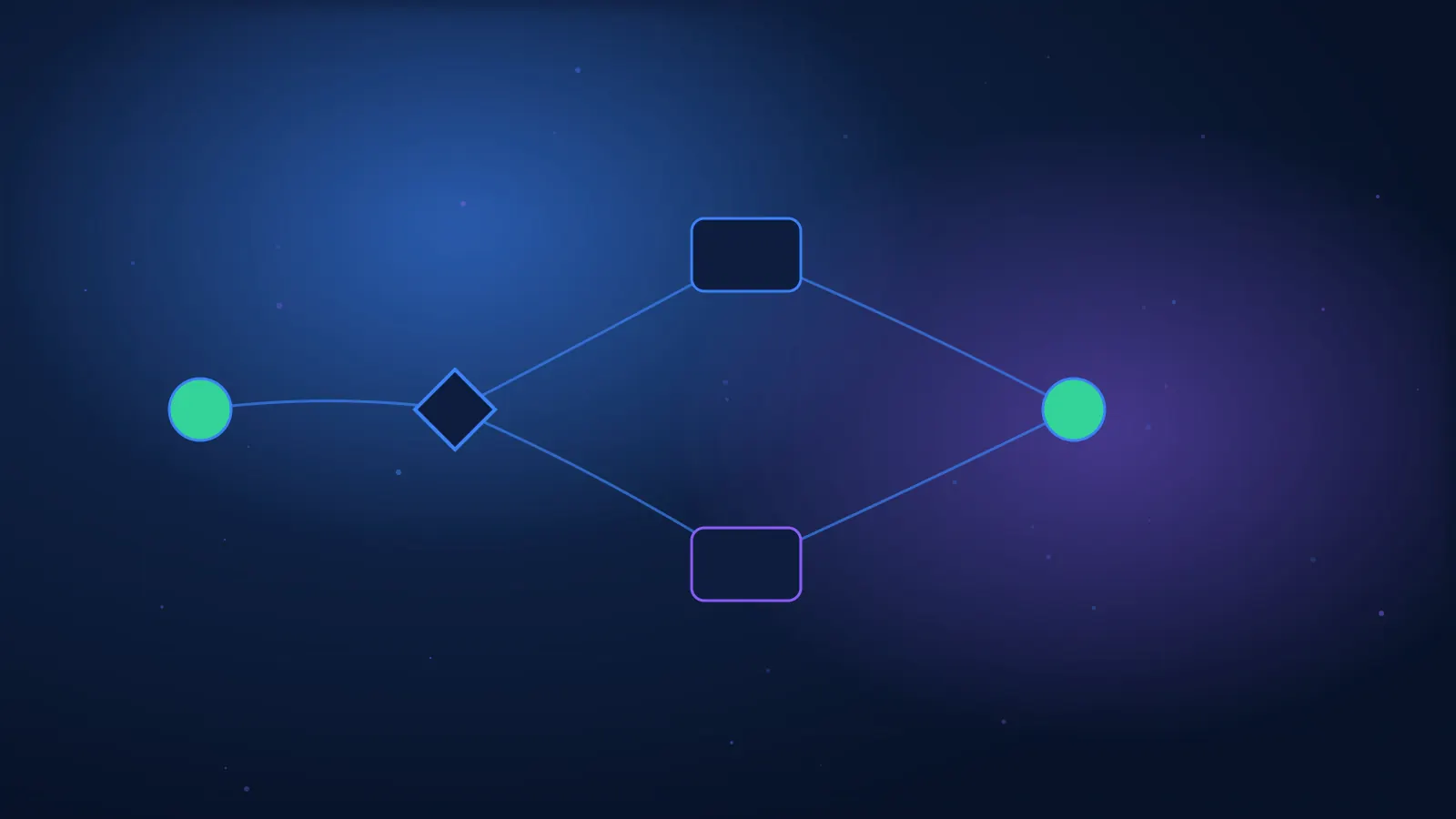
Salesforce Flow is a No-Code and Low-Code tool for building automations and processes. It can update records, create tasks, send alerts, display screens, make decisions, and trigger scheduled actions. Flow is a central tool for Admin and Implementer work.

Salesforce vs. Other CRM Systems: What Are the Differences?
Salesforce stands out for its flexibility, extensive ecosystem, automation, and ability to build complex solutions. Other CRM systems may be simpler, cheaper, or better suited for a small business. The choice should be based on processes, users, integrations, security, and total cost.
Sales Cloud vs. Service Cloud: What's the Difference and When to Use Each System?
Sales Cloud is designed for managing the sales process: Leads, Accounts, Contacts, Opportunities, and forecasts. Service Cloud is designed for service management: Cases, Queues, Routing, Knowledge, and SLA. Many organizations use both to manage the customer before and after the sale.
Salesforce Implementer Interview FAQ – Including Sample Answers
A Salesforce Implementer interview assesses not only system knowledge but also process thinking, Security, Data, Flow, testing, and communication. A good answer demonstrates a work approach: clarification questions, alternatives, risks, testing, and success metrics.

How to Enter High-Tech in 2026? The Fastest and Most Practical Paths
The practical way to enter high-tech in 2026 is to choose a defined target role, learn the required skills, practice in a real environment, build proof of ability, and apply strategically. There isn't one path that suits everyone: a degree is suitable for those who want a broad academic foundation, while professional training can be suitable for those aiming for a defined entry-level role and wanting to advance quickly.

What are the best options for released soldiers who love computers and technology?
Released soldiers who love computers can choose between a degree, an associate's degree (practical engineer), professional training, self-study, or entering through an entry-level tech role. The choice should be based on the type of work that attracts you, the time and budget at your disposal, and not just on salary promises. You can check eligibility to use your personal deposit for studies or training at a recognized institution.
Is a degree a must to enter Hi-Tech?
A degree is not required to enter every role in hi-tech. For entry-level cybersecurity, IT, technical support, Salesforce, QA, and system operations roles, it is sometimes possible to get hired through practical knowledge, projects, and certifications. In contrast, certain roles in development, research, algorithmics, hardware, and data science may prefer or require a degree. The decision should stem from the target role rather than the general question of whether a degree is good or bad.
Tech Professions That Don’t Require Coding: What Options Are There?
You can work in high-tech even without being a software developer. Roles like Salesforce Implementer, Salesforce Admin, SOC Analyst, IT Support, NOC, Manual QA, Customer Success, Project Management, and Systems Operations are not primarily based on writing code. However, they still require technological literacy, understanding of systems, data, processes, and professional tools.

How to Get Your First High-Tech Job Without Experience?
To get your first high-tech job without experience, you need to create alternative experience: a project, lab, volunteering, working with a system, or a related role. Then, tailor your resume to the job, showcase the project on LinkedIn, practice interviews, and consistently apply for Support, Operations, and Junior roles close to your target.
Professional Course or Degree: What is the Right Path to Enter Hi-Tech?
A degree suits those who want a broad foundation, development or research tracks, and long-term opportunities. A professional course suits those aiming for a defined role like SOC, IT, Salesforce, or QA and want a shorter, more practical path. The quality of the path depends on practice, projects, and job relevance — not just the type of certificate.
Cybersecurity or Salesforce: Which Career Path Suits You?
Cybersecurity is more suitable for those who enjoy networks, systems, investigation, monitoring, and incidents. Salesforce is more suitable for those who enjoy business processes, users, data, and automation. Both paths allow you to start without advanced programming, but require practice, a project, and technical ability. The best way to choose is to try a real task from each field.

How to choose a high-tech profession? A guide by personality, abilities, and goals
To choose a high-tech profession, you need to compare the types of tasks you enjoy, your strengths, working conditions, training time, and available entry-level positions. Don't decide solely based on salary or trends. Choose two to three paths, perform a trial task in each, and read job advertisements before enrolling in studies.

Transitioning to High-Tech at 30 and Beyond: Is It Possible and How Do You Start?
It is possible to transition to high-tech at 30 and beyond. The advantages are work experience, responsibility, and familiarity with a business domain; the challenges are time, initial salary, and financial risk. The right approach is to choose a role that leverages your previous background, study in a focused manner, build a project, and make a gradual transition instead of starting from scratch without a plan.
How to Investigate a SOC Security Alert End-to-End
Investigating a SOC security alert is a structured process involving validating the alert source, identifying the user and asset involved, collecting context from additional sources, building a timeline, checking for legitimate explanations, and deciding if it's a real incident. A good investigation ends with a reasoned decision, an appropriate response action, and documentation that allows another person to reproduce the conclusion.
Triage in SOC: How to Prioritize Alerts Without Missing a Real Incident
Triage in SOC is the initial filtering and evaluation of an alert to determine what is urgent, what requires deep investigation, and what can be closed. The decision is not based solely on the Severity displayed by the system, but on a combination of asset criticality, user sensitivity, signal confidence, identified technique, scope of activity, and potential impact.
False Positives in SOC: How to Identify, Document, and Minimize Them
A False Positive in SOC is a case where an alert was generated due to incorrect logic or inaccurate data, even though the dangerous behavior the rule intended to identify did not actually occur. To correctly close an alert, one must prove the reason, differentiate it from suspicious but authorized activity, document the Root Cause, and provide feedback to reduce similar alerts without creating a Blind Spot.
SOC Playbook: How to Build a Consistent Alert Response Process
A SOC Playbook is a documented process that defines how to handle a specific type of alert: what the input is, what checks to perform, what evidence to collect, what the decision points are, when to escalate, and what actions are permitted. A good Playbook creates consistency without eliminating analytical thinking, and is tested and updated based on real results and environmental changes.
How to Build a Timeline for a Cyber Incident Investigation
An incident investigation timeline is a chronological table that unifies events from various sources to a consistent time, linking them via users, workstations, IP addresses, processes, and sessions. Proper construction includes preserving the original time, converting to UTC, noting source and reliability, identifying gaps, and distinguishing between fact, interpretation, and hypothesis.
When Should a SOC Analyst Escalate an Incident to Tier 2 or IR
A SOC analyst should escalate an incident when the risk level, uncertainty, or scope of required actions exceeds the authority and capability of Tier 1. A good escalation is not “passing the buck,” but delivering an organized investigation package that includes facts, evidence, a timeline, estimated impact, actions already taken, and a clear question for the next team. In the event of an active compromise, a critical asset, or a suspected data leak, Incident Response is involved quickly according to procedures.
How to Write a Professional SOC Investigation Ticket
A professional SOC investigation ticket should allow another analyst to understand what happened, what data was examined, what was found, what is still unknown, and what the next action is — without a follow-up conversation. A good structure includes a summary, scope, timeline, evidence, analysis, decision, response actions, and recommendations. Clearly separate facts, interpretations, and assumptions, and only quote relevant log fields.
Severity vs. Priority: How to Rank Security Incidents
Severity describes the potential impact and gravity of an incident; Priority determines the actual order and speed of handling. An incident can be severe but not urgent if it's isolated and contained, or of medium severity but high priority if it's active on a critical asset. Professional ranking combines credibility, Scope, asset criticality, identity, business exposure, containment status, and time.
Alert, Event, Incident, and Offense: The Differences Every Analyst Needs to Know
An Event is a recorded activity or observation; an Alert is a notification generated when a detection mechanism finds a match or anomaly; an Incident is a collection of findings determined to require investigation and response; an Offense is IBM QRadar's investigation object, created from correlating Events and Flows based on Rules. The terms are not identical across products, so an analyst needs to understand both the general meaning and the data model of the tool they are working with.
SOC Metrics: Metrics That Truly Improve Detection and Response
Good SOC metrics connect speed, quality, coverage, and impact. Beyond average MTTD and MTTR, it's recommended to measure Triage and Closure time by percentiles, False/Benign Positives rate, time without Owner, escalation quality, log source availability, Use Case coverage, recurring incidents, and workload per Analyst. Every KPI must lead to a decision; a metric that can be “improved” without improving defense is a dangerous metric.
What is SIEM and How Does It Work From Log Collection to Incident
SIEM — Security Information and Event Management — is a system that centralizes security data from many sources, transforms disparate records into searchable and comparable information, runs detection logic, and organizes findings as alerts or incidents for investigation. The value is not in merely storing logs, but in the ability to connect time, user, asset, IP address, and behavior into a narrative that the analyst can verify and act upon.
KQL for Beginners: First Queries for Incident Investigation
KQL — Kusto Query Language — is a query language for reading and analyzing data in products such as Azure Monitor and Microsoft Sentinel. A query usually starts with a table and continues with a pipeline of commands: filtering time and events, selecting or creating fields, summarizing by user or asset, and displaying the relevant results for investigation. The key to learning is to start with one question and build the query step by step.
Microsoft Sentinel: Incident Investigation Guide for Junior Analysts
Incident investigation in Microsoft Sentinel begins by understanding the case story: which Alerts were grouped, who are the Entities, what is the Severity, and what is the detection source. The analyst then verifies users and assets, checks Evidence and Timeline, runs supplementary KQL, documents decisions, and performs escalation or response. An incident is a work case — not proof that the attack succeeded — therefore classification must rely on evidence and context.
How to Write an Analytics Rule in Microsoft Sentinel
A good Analytics Rule in Microsoft Sentinel begins with the behavior to detect and the sources that can prove it. Then, write KQL that returns a clear investigative unit, define frequency and Lookback, map Entities, set Severity and MITRE, choose Grouping, and perform Test and Tuning. The goal of the rule is not to generate many Alerts, but to create Incidents that can be understood, verified, and acted upon.
SPL for Beginners: Searching and Investigation in Splunk
SPL — Search Processing Language — is Splunk's search language. A search begins by selecting data by time, index, sourcetype, and terms, and continues with Pipe commands that filter, create fields, summarize, and display results. For a SOC analyst, it's important to first learn precise searching, stats, and eval, and only then complex Queries. Every result is a point of investigation that must be verified against the raw events.
Splunk Enterprise Security: From Detection to Investigation
Event investigation in Splunk Enterprise Security begins with understanding the Detection and the entity it points to, continues with verifying contributing events, enriching Asset and Identity, building a Timeline and searching for related activity, and ends with Disposition, documentation, and feedback for the Detection. In Splunk ES 8, the terms Finding and Analyst Queue are more common; in earlier versions, you might see Notable and Incident Review.
QRadar Offense: How to Read and Investigate an Offense
An Offense in QRadar is a prioritized incident created when the Custom Rules Engine links Events or Flows according to a rule. A professional investigation does not begin and end with Magnitude: one must understand the rule that fired, open the contributing events and flows, check Source, Destination, assets, time, and business context, and then document the decision and Closing Reason.
QRadar Rules and Building Blocks: A Practical Guide
In QRadar, a Rule is a collection of Tests that triggers a Response when conditions are met. A Building Block uses the same Tests to describe a group or recurring logic but does not trigger a Response itself. Good planning starts with the Use Case and data, orders Tests from the cheapest and most restrictive to the most expensive, uses State and Reference sets carefully, and is tested before deployment to production.
Elastic Security: Creating Detection Rules and Investigation Guides
A good Detection Rule in Elastic Security starts with the behavior to detect and the available data, not with choosing a random language. Select an appropriate Rule type, validate ECS and fields, write a Query, define Schedule and Lookback, Risk and Severity, Suppression and Exceptions, and attach an Investigation Guide that leads the analyst through Triage, Analysis, and Response.
EQL vs ES|QL: When to use each language in security investigations
EQL is suitable when the order of events and their relationships are at the heart of the question: A Process started, then communication was established, or an expected event did not appear. ES|QL is suitable when a Pipeline of filtering, calculation, field modification, Aggregation, and Statistics is needed. If a single field match is sufficient, a simple Custom query might be easier than both.
How to Connect a Log Source to SIEM and Ensure Data Reliability
Connecting a log source to SIEM is a process that involves defining a Use Case, validating the data source, checking parsing and normalization, running quality checks, and ensuring that the output allows for investigation and not just alert presentation.
SIEM Tuning: How to Reduce Alert Fatigue Without Sacrificing Coverage
SIEM Tuning is a process of defining a Use Case, verifying the data source, checking Parsing and normalization, running quality tests, and ensuring the output enables investigation, not just alert presentation.
Windows Event Logs for SOC Analysts: Where to Start
Windows Event Logs for SOC analysts requires reading the full event, not just the Event ID: time, computer, user, Logon ID, Process, network source, and organizational context. The conclusion is formed by correlating several sources.
Event ID 4624 and 4625: Investigating Successful and Failed Logons
Event IDs 4624 and 4625 require reading the full event, not just the Event ID: time, computer, user, Logon ID, Process, network source, and organizational context. The conclusion is formed by correlating several sources.

Event ID 4688: Analyzing Process Creation in Windows
Event ID 4688 requires reading the full event, not just the Event ID: time, computer, user, Logon ID, Process, network source, and organizational context. The conclusion is drawn from correlating multiple sources.
PowerShell Logging: How to Identify Suspicious Activity
PowerShell Logging requires reading the full event, not just the Event ID: time, computer, user, Logon ID, Process, network source, and organizational context. The conclusion is formed by correlating several sources.
Sysmon for Beginners: Installation, Events, and SIEM Integration
Sysmon for beginners requires reading the full event, not just the Event ID: time, computer, user, Logon ID, Process, network source, and organizational context. The conclusion is drawn from a correlation between several sources.
Sysmon Event ID 1: Building a Process Tree for Investigation
Sysmon Event ID 1 requires reading the full event, not just the Event ID: time, computer, user, Logon ID, Process, network source, and organizational context. The conclusion is formed by correlating multiple sources.

Sysmon Event ID 3 and 22: Network Connections and DNS Queries
Sysmon Event ID 3 and 22 requires reading the full event, not just the Event ID: time, computer, user, Logon ID, Process, network source, and organizational context. The conclusion is formed by correlating multiple sources.
Active Directory Logs: Key Information Sources for Investigation
Active Directory Logs require reading the full event, not just the Event ID: time, computer, user, Logon ID, Process, network source, and organizational context. The conclusion is formed by correlating multiple sources.

Password Spray Investigation in Active Directory and Entra ID
Password Spray investigation requires reading the full event, not just the Event ID: time, computer, user, Logon ID, Process, network source, and organizational context. The conclusion is formed by correlating several sources.
Brute Force Investigation: How to Differentiate Between a Fault and an Attack
Brute Force investigation requires reading the full event, not just the Event ID: time, computer, user, Logon ID, Process, network source, and organizational context. The conclusion is formed by correlating several sources.
Investigating Privilege Escalation in Windows Using Logs
Investigating Privilege Escalation in Windows requires reading the full event, not just the Event ID: time, computer, user, Logon ID, Process, network source, and organizational context. The conclusion is formed by correlating several sources.

Lateral Movement Investigation in a Windows Domain Environment
Lateral Movement investigation requires reading the full event, not just the Event ID: time, computer, user, Logon ID, Process, network source, and organizational context. The conclusion is formed by correlating several sources.
Wireshark for Beginners: A Structured Process for PCAP File Analysis
PCAP analysis in Wireshark is performed by mapping Flow, times, protocols, DNS/TLS/HTTP, and the context of the asset. A single packet or connection is partial evidence, so a sequence is built and verified against additional sources.
Display Filters in Wireshark: Useful Filters for Incident Investigation
Wireshark Display Filters are used by mapping Flow, timings, protocols, DNS/TLS/HTTP, and asset context. A single packet or connection is partial evidence, so a sequence is built and validated against additional sources.
Follow TCP Stream: How to Reconstruct a Suspicious Conversation
Follow TCP Stream is performed by mapping Flow, timings, protocols, DNS/TLS/HTTP, and asset context. A single packet or connection is partial evidence, so a sequence is built and validated against additional sources.
Malicious DNS Analysis: Tunneling, DGA, and Domain Anomalies
Malicious DNS analysis is performed by mapping flow, timing, protocols, DNS/TLS/HTTP, and the context to the asset. A single packet or connection is partial evidence, so a sequence is built and validated against additional sources.
Analyzing Suspicious HTTP Traffic in Wireshark
HTTP analysis in Wireshark is performed by mapping Flow, timings, protocols, DNS/TLS/HTTP, and context to the asset. A single packet or connection is partial evidence, so a sequence is built and verified against additional sources.
Zeek Logs: How to Investigate conn.log, dns.log, and http.log
Zeek Logs investigation involves mapping Flow, timings, protocols, DNS/TLS/HTTP, and context to the asset. A single packet or connection is partial evidence, so a sequence is built and validated against additional sources.
Suricata EVE JSON: From Alert to PCAP and Network Flow
Suricata EVE JSON involves mapping Flow, timings, protocols, DNS/TLS/HTTP, and asset context. A single packet or connection is partial evidence, so a sequence is built and verified against additional sources.
IDS vs. IPS vs. NDR: What's the Difference and What Information Does the SOC Receive?
IDS vs. IPS vs. NDR is performed by mapping Flow, timings, protocols, DNS/TLS/HTTP, and the context to the asset. A single packet or connection is partial evidence, so a sequence is built and validated against additional sources.

How to Detect Command and Control in Network Traffic
Command and Control detection is performed by mapping flow, timings, protocols, DNS/TLS/HTTP, and asset context. A single packet or connection is partial evidence; therefore, a sequence is built and validated against additional sources.
Building a Network Timeline from TCP, DNS, HTTP, and TLS Connections
A Network Timeline is built by mapping flow, times, protocols, DNS/TLS/HTTP, and asset context. A single packet or connection is partial evidence, so a sequence is built and verified against additional sources.

Incident Response According to NIST SP 800-61r3: A Practical Guide
Incident Response according to NIST is a controlled process that balances damage containment with evidence preservation. Document the source, time, and tools, save the Hash, build a Timeline, and separate fact, interpretation, and decision.

Incident Response Plan vs. Playbook: What's the Difference?
Incident Response Plan vs. Playbook is a controlled process that balances damage containment with evidence preservation. Document source, time, and tools, save Hash, build a Timeline, and differentiate between fact, interpretation, and decision.

Digital Evidence Collection Without Compromising Integrity
Digital evidence collection is a controlled process that balances damage containment with evidence preservation. Document the source, time, and tool, preserve the Hash, build a Timeline, and separate fact, interpretation, and decision.

Order of Volatility in Digital Forensics: What to Collect First and Why
The order of volatility is a controlled process that balances damage containment with evidence preservation. Document the source, time, and tool, save the Hash, build a Timeline, and separate fact, interpretation, and decision.

Memory Forensics for Beginners: What Can Be Learned from Computer Memory
Memory Forensics for beginners is a controlled process that balances damage containment with evidence preservation. Document the source, time, and tools, save the Hash, build a Timeline, and separate fact, interpretation, and decision.

Disk Forensics for Beginners: Files, Metadata, and Timeline
Disk Forensics for Beginners is a controlled process that balances damage containment with evidence preservation. Document the source, time, and tools, save the hash, build a timeline, and differentiate between fact, interpretation, and decision.

Malware Triage: Safe Initial Examination of a Suspicious File
Malware Triage is a controlled process that balances damage containment with evidence preservation. Document the source, time, and tools, save the Hash, build a Timeline, and separate fact, interpretation, and decision.

Static vs. Dynamic Malware Analysis: What to Examine in Each Method
Static vs. Dynamic Malware Analysis is a controlled process that balances damage containment with evidence preservation. Document the source, time, and tools, save the Hash, build a Timeline, and separate fact, interpretation, and decision.

Writing the First YARA Rule to Identify a Suspect File
Writing a YARA rule is a controlled process that balances damage containment with evidence preservation. Document the source, time, and tools, save the Hash, build a Timeline, and differentiate between fact, interpretation, and decision.

End-to-End Phishing Investigation
Phishing investigation is a controlled process that balances damage containment with evidence preservation. Document the source, time, and tools, save Hashes, build a Timeline, and separate fact, interpretation, and decision.

Analyzing Email Headers: SPF, DKIM, DMARC, and Received
Email header analysis is a controlled process that balances damage containment with evidence preservation. Document source, time, and tools, save Hash, build a Timeline, and separate fact, interpretation, and decision.

Business Email Compromise and Inbox Rules Investigation
BEC investigation is a controlled process that balances damage containment with evidence preservation. Document the source, time, and tools, save the Hash, build a Timeline, and separate fact, interpretation, and decision.

Ransomware Investigation: The First 60 Minutes
Ransomware investigation is a controlled process that balances damage containment with evidence preservation. Document the source, time, and tools, save the Hash, build a Timeline, and separate fact, interpretation, and decision.

How to Build a Post-Incident Review and Lessons Learned
A Post-Incident Review is a controlled process that balances damage containment with evidence preservation. Document the source, time, and tools, save the Hash, build a Timeline, and differentiate between fact, interpretation, and decision.

Chain of Custody: Documenting Evidence in Cyber Investigations
Chain of Custody in cybersecurity is a controlled process that balances damage containment with evidence preservation. Document the source, time, and tool, maintain a Hash, build a Timeline, and separate fact, interpretation, and decision.
Threat Hunting for Beginners: From Hypothesis to Findings
Threat Hunting for beginners starts with a question or behavior to identify, proceeds to defining Telemetry and logic, and concludes with testing, tuning, documentation, and controlled deployment. Quality is measured by coverage and investigation capability.
IOC vs. IOA: What's the Difference and How to Use Them
IOC vs. IOA starts with a question or behavior to identify, continues with defining Telemetry and logic, and ends with testing, Tuning, documentation, and controlled deployment. Quality is measured by coverage and investigative capability.
MITRE ATT&CK for SOC Analyst: Alert-to-Technique Mapping
MITRE ATT&CK for SOC Analyst begins with a question or behavior to detect, continues to Telemetry and logic definition, and concludes with testing, tuning, documentation, and controlled deployment. Quality is measured by coverage and investigation capability.
Detection Engineering: How to Turn Malicious Behavior into a Detection Rule
Detection Engineering starts with a question or behavior to identify, proceeds to defining telemetry and logic, and concludes with testing, tuning, documentation, and controlled deployment. Quality is measured by coverage and investigability.
Sigma Rules: Writing, Testing, and SIEM Conversion
Writing Sigma Rules begins with a question or behavior to identify, continues with defining Telemetry and logic, and concludes with testing, tuning, documentation, and controlled deployment. Quality is measured by coverage and investigative capability.
Detection as Code: Managing Detection Rules in Git
Detection as Code starts with a question or behavior to identify, continues to telemetry and logic definition, and concludes with testing, tuning, documentation, and controlled deployment. Quality is measured by coverage and investigative capability.
Threat Intelligence Lifecycle: From Collection to Action
The Threat Intelligence Lifecycle begins with a question or behavior to identify, continues to defining Telemetry and logic, and concludes with testing, Tuning, documentation, and controlled deployment. Quality is measured by coverage and investigation capability.
STIX and TAXII: How to Share Threat Intelligence
STIX and TAXII begin with a question or behavior to identify, continue to Telemetry definition and logic, and conclude with testing, tuning, documentation, and controlled deployment. Quality is measured by coverage and investigative capability.
Windows Threat Hunting with Sysmon
Threat Hunting with Sysmon begins with a question or behavior to identify, proceeds to defining Telemetry and logic, and concludes with testing, tuning, documentation, and controlled deployment. Quality is measured by coverage and investigative capability.
Purple Team: How to Connect PT to Improve SOC Capabilities
Purple Team begins with a question or behavior to identify, continues to define Telemetry and logic, and concludes with tests, Tuning, documentation, and controlled deployment. Quality is measured by coverage and investigative capability.
Penetration Testing Methodology: From Scope to Retest
Penetration Testing Methodology must only be conducted within an approved Scope and Rules of Engagement. The process includes information gathering, controlled validation, Evidence, risk assessment, remediation, and Retest.
Rules of Engagement and Scope in Penetration Testing
Rules of Engagement in penetration testing must only be conducted within an approved Scope and Rules of Engagement. The process includes information gathering, controlled verification, evidence, risk assessment, remediation, and retest.
Passive vs. Active Reconnaissance in Authorized Penetration Testing
Passive vs. Active Reconnaissance must only be performed within an approved Scope and Rules of Engagement. The process includes information gathering, controlled verification, Evidence, risk assessment, remediation, and Retest.
Enumeration: How to Map Services and Users in a Lab Environment
Enumeration in penetration testing must only be performed within an approved Scope and Rules of Engagement. The process includes information gathering, controlled verification, evidence, risk assessment, remediation, and retest.
Vulnerability Assessment vs. Penetration Test: What's the Difference?
Vulnerability Assessment vs. Penetration Test must only be conducted within approved Scope and Rules of Engagement. The process includes information gathering, controlled validation, evidence, risk assessment, remediation, and retest.
Network Penetration Testing: A Full Lab Testing Process
Network Penetration Testing must only be conducted within approved Scope and Rules of Engagement. The process includes information gathering, controlled validation, evidence collection, risk assessment, remediation, and retest.
Active Directory Penetration Testing: Testing and Protection Map
Active Directory Penetration Testing must only be performed within an approved Scope and Rules of Engagement. The process includes information gathering, controlled verification, evidence, risk assessment, remediation, and retest.
Windows Privilege Escalation in an Authorized Lab: Testing Methodology
Windows Privilege Escalation must only be performed within an approved Scope and Rules of Engagement. The process includes information gathering, controlled verification, Evidence, risk assessment, remediation, and Retest.
Linux Privilege Escalation in a Licensed Lab: Testing Methodology
Linux Privilege Escalation must only be performed within an approved Scope and Rules of Engagement. The process includes information gathering, controlled verification, Evidence, risk assessment, remediation, and Retest.
Writing a Penetration Test Report That Leads to Remediation
Writing a Penetration Test report must only be done within an approved Scope and Rules of Engagement. The process includes information gathering, controlled verification, Evidence, risk assessment, remediation, and Retest.

Web Application Penetration Testing Methodology According to OWASP WSTG
Web Application Penetration Testing is only performed in a lab or on an authorized system. Requests/Responses, server behavior, roles, state, and impact are examined, using minimal tests that do not damage data.

OWASP Top 10:2025 — A Guide for Penetration Testers
OWASP Top 10 2025 is tested only in a lab or an authorized system. Test Request/Response, server behavior, Roles, State, and impact, using minimal tests that do not damage data.

Burp Suite for Beginners: Proxy, Repeater, and Intruder in the Lab
Burp Suite for beginners should only be tested in a lab or an authorized system. Review Request/Response, server behavior, Roles, State, and impact, using minimal tests that do not compromise data.

Broken Access Control: How to Test Permissions in an Application
Broken Access Control testing is performed only in a lab or an authorized system. Request/Response, server behavior, Roles, State, and impact are examined using minimal tests that do not damage data.

IDOR and BOLA: Object-Level Authorization Testing
IDOR BOLA should only be tested in a lab or authorized system. Test Request/Response, server behavior, Roles, State, and impact, using minimal tests that do not damage data.

Authentication Failures: Testing Login Mechanisms
Authentication Failures testing should only be performed in a lab or authorized system. Review Request/Response, server behavior, Roles, State, and impact, using minimal tests that do not compromise data.

Session Security: Cookies, Tokens and Session Fixation
Session Security testing should only be performed in a lab or an authorized system. Request/Response, server behavior, Roles, State, and impact are checked, using minimal tests that do not compromise data.

SQL Injection: Detection and Secure Validation in the Lab
SQL Injection testing is only performed in a lab or on an authorized system. Request/Response, server behavior, Roles, State, and impact are checked, using minimal tests that do not damage data.

Cross-Site Scripting: Stored, Reflected, and DOM
XSS testing should only be performed in a lab or on an authorized system. Examine Request/Response, server behavior, Roles, State, and impact, using minimal tests that do not damage data.

SSRF: How to Identify and Safely Validate
SSRF testing should only be conducted in a lab or authorized system. Examine Request/Response, server behavior, Roles, State, and impact, using minimal tests that do not compromise data.

File Upload Vulnerabilities: Testing and Risks
File Upload testing is performed only in a lab or an authorized system. We examine Request/Response, server behavior, Roles, State, and impact, using minimal tests that do not compromise data.

Path Traversal and Local File Inclusion: How to Test Safely
Path Traversal testing is only conducted in a lab or on an authorized system. Review Request/Response, server behavior, Roles, State, and impact, using minimal tests that do not damage data.

Command Injection: Identification, Validation, and Prevention
Command Injection testing is only performed in a lab or an authorized system. Review Request/Response, server behavior, Roles, State, and impact, using minimal tests that do not corrupt data.

API Penetration Testing: Full Workflow
API Penetration Testing should only be performed in a lab or authorized system. It involves examining Request/Response, server behavior, Roles, State, and impact, using minimal tests that do not damage data.

OWASP API Security Top 10:2023 for Penetration Testers
OWASP API Security Top 10 2023 should only be tested in a lab or authorized system. Test Request/Response, server behavior, Roles, State, and impact, using minimal tests that do not damage data.

Investigating a Suspicious Microsoft 365 Account: Entra, Mailbox, and Defender
A Microsoft 365 account investigation requires connecting Identity, Audit Logs, API actions, resources, regions, and sessions. Begin by preserving evidence and building a timeline, then perform documented containment.
Investigating Suspect AWS Credentials with CloudTrail and GuardDuty
Investigating AWS Credentials requires connecting Identity, Audit Logs, API actions, Resources, Regions, and Sessions. Start by preserving evidence and building a Timeline, then perform documented Containment.
Azure Security Incident Investigation: Sentinel, Entra, and Defender
Azure security incident investigation requires connecting Identity, Audit Logs, API actions, resources, Regions, and Sessions. Start by preserving evidence and building a Timeline, then perform documented Containment.

Incident Investigation in Google Cloud with Audit Logs and Security Command Center
Incident investigation in Google Cloud requires connecting Identity, Audit Logs, API actions, resources, Regions, and Sessions. Start by preserving evidence and building a Timeline, then perform documented Containment.

AI for SOC Analyst: Safe Use for Log Summarization, KQL, and Documentation
AI for SOC Analyst can improve speed and order, but does not replace expertise or insight. Information should be minimized, secrets removed, output verified against the source, prompts documented, and the final decision left to a professional.

AI for Penetration Testers: Planning, Analysis, and Reporting Without Exposing Sensitive Information
AI for Penetration Testers can improve speed and organization, but it does not replace expertise or insight. It is essential to minimize information, remove secrets, validate output against the source, document prompts, and leave the final decision to a professional.
Hands-on tech training
HPI's core learning tracks are designed to accommodate learners without prior experience and are built around a full professional foundation.
Corporate training solutions
Tracks for technology teams, IT, SOC and staff with no prior background.
Tracks for Admins, implementers and key users across the organization.
Responsible, practical use of AI tools in day-to-day work.
Networking fundamentals, Windows, Linux, cloud and troubleshooting for IT teams.
Information-security awareness for all staff across the organization.
Focused preparation tracks for professional certifications for your team.
An end-to-end process for building training tailored to your needs.
Want to talk?
Send us your details and we will get back to you with professional information, an up-to-date syllabus and a track recommendation that fits.